Is It Possible To Run A Computer Without Ram?
If you've built a PC recently, you've probably felt the sting of memory prices. RAM costs have surged dramatically, and even older DDR3 modules have become scarce. This raises an interesting question that seems almost heretical to ask: do we actually need RAM? Could we replace it with something else, or even run a computer without it entirely?

Contents
The answer is more nuanced than you might think. While traditional computing absolutely requires some form of fast memory, the boundaries of what's possible are surprisingly flexible. Let's explore the technical realities, practical experiments, and theoretical foundations of computing with minimal or zero RAM.
The Traditional Approach: Swap Space
Before we get into the exotic solutions, let's address the elephant in the room. Every modern operating system has a mechanism for dealing with memory shortages. Windows calls it a pagefile, Linux calls it swap, but the concept remains consistent across platforms.
When your system runs low on physical memory, the operating system implements a contingency plan. It identifies the least recently used pages of memory and writes them to disk, freeing up RAM for more urgent tasks. This process, known as paging or swapping, effectively extends your available memory by using disk space as overflow storage.
The technique dates back to the 1960s, making it one of the oldest tricks in the computing playbook. Atlas, one of the pioneering computer systems at the University of Manchester, introduced virtual memory with paging in 1962. The fundamental problem it solves remains unchanged: memory is expensive and limited, while storage is cheap and plentiful.
However, swap space doesn't actually eliminate the need for RAM. The processor cannot execute instructions directly from disk. Every operation must first be loaded into physical memory, processed, and then potentially swapped back out. The RAM acts as a mandatory staging area for all computation.
Experiment One: Running on Nearly Zero RAM
To understand the practical implications of memory constraints, let's examine what happens when we reduce available RAM to near nothing. Starting with a modern Linux system, we can use boot parameters to artificially limit available memory.
The initial target was 256 megabytes. Surprisingly, this proved insufficient. The system froze while attempting to allocate the initial ramdisk during boot. This failure is instructive because smaller embedded devices like the LicheeRV Nano operate successfully with exactly this amount, though half is reserved for camera and display drivers. Desktop systems, with their complex initialization sequences and numerous drivers, simply require more overhead.
After multiple attempts and one temporarily unbootable system requiring external intervention, 512 megabytes emerged as the minimum viable configuration. Combined with 4 gigabytes of swap on a SATA SSD, this setup created an environment where nearly all active working memory resided on disk rather than in physical RAM.
The performance implications were severe but predictable. A browser benchmark that simulates typical web usage took dramatically longer to complete. The raw memory access test managed only one transfer operation compared to 55 in the control configuration. Most tellingly, attempting to launch Portal 2 through Steam simply crashed the application before the game could even initialize.

This crash reveals a fundamental limitation of swap-based approaches. Think of swap like a juggler who can only hold one ball at a time while the rest remain in the air. For simple sequential operations, this works adequately. But when a game texture or 3D model requires two balls worth of memory simultaneously, the juggler cannot hold both pieces at once. The processor needs the complete asset loaded into physical memory to operate on it as a whole unit.
Even with faster NVMe storage, this approach hits a performance wall. The latency of disk access, measured in milliseconds, simply cannot compete with RAM access times measured in nanoseconds. That's a difference of six orders of magnitude.
Experiment Two: VRAM as System Memory
Graphics cards contain their own dedicated memory pools, separate from system RAM. Modern GPUs feature high-bandwidth GDDR6 or even GDDR6X memory, with theoretical bandwidths exceeding 300 gigabytes per second. This vastly outpaces even the fastest consumer SSDs. Could we repurpose this video memory for general computation?
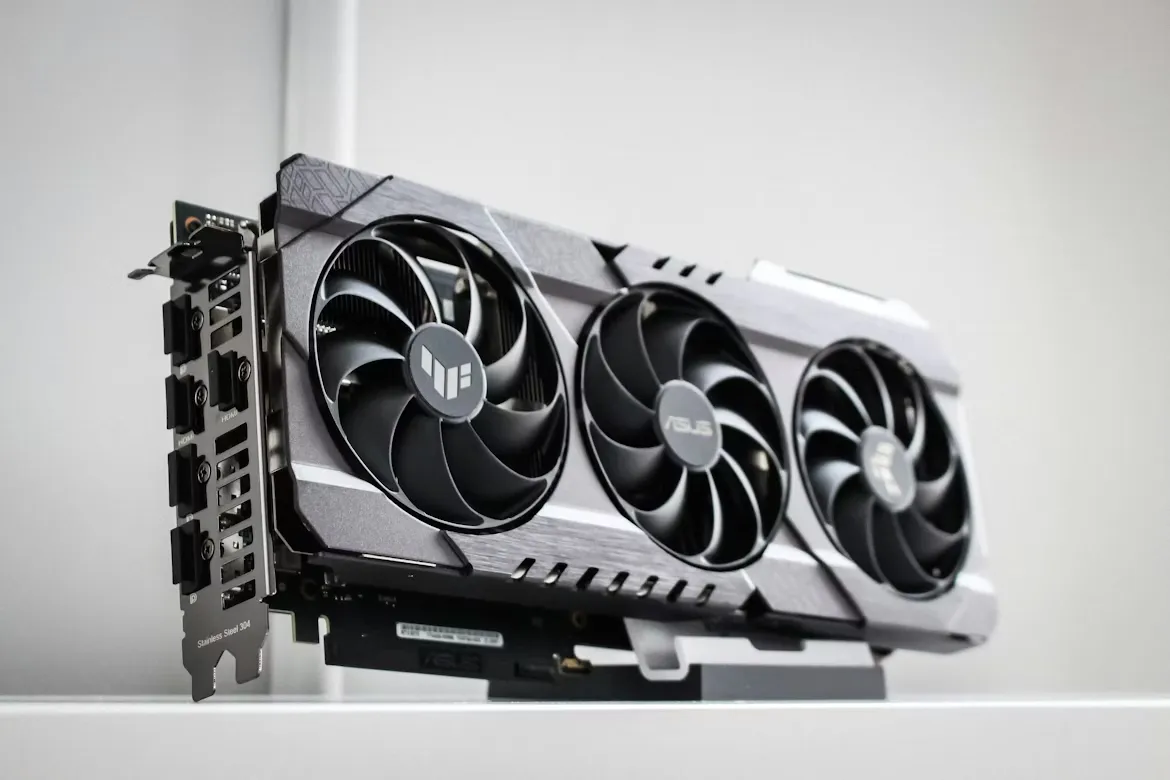
The OpenCL API provides raw byte-level access to GPU memory, enabling arbitrary read and write operations. A project called vramfs leverages this capability to create a FUSE filesystem backed by video memory. In essence, it translates standard filesystem operations into GPU memory accesses, allowing swap files to reside in VRAM rather than on disk.
The setup process revealed immediate challenges. With system RAM limited to 512 megabytes and 4 gigabytes allocated from a 6GB graphics card, the desktop environment crashed during initialization. The filesystem emulation itself requires substantial memory allocation, creating a chicken-and-egg problem. The system attempts to free memory by killing processes but cannot determine which are critical until it's too late.
Increasing system RAM to 1 gigabyte provided enough breathing room for the operating system and vramfs infrastructure, though test applications still relied primarily on swap. The results were disappointing. Despite GDDR6's impressive theoretical bandwidth, the browser benchmark took over an hour to complete. The memory test simply froze the system.
The bottleneck lies not in raw bandwidth but in overhead. Each memory request must traverse a complex software chain: the operating system resolves a loopback block device, which points to a FUSE filesystem, which redirects to a userspace program, which calls the OpenCL API, which finally accesses GPU memory. This happens repeatedly for nearly every memory operation, with each layer adding latency.
The lesson here is clear. Raw hardware capability means nothing if the software path to access it introduces prohibitive overhead. Architecture matters as much as specifications.
Why RAM Exists: The Turing Machine and Memory Hierarchies
To understand whether we can truly eliminate RAM, we need to examine why it exists in the first place. The Turing machine, one of computer science's foundational models, consists of an infinite tape and a simple state machine. The machine reads symbols from the tape, updates its internal state, and occasionally writes new symbols or moves to different positions on the tape. Given sufficient time and tape length, a Turing machine can compute anything that is computable. You can take a look at the picture below (Credit: https://web.mit.edu/manoli/turing/www/turing.html)
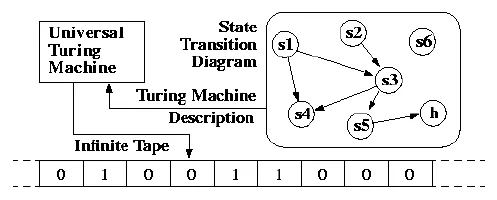
Notice what's absent from this model. There is no RAM. The tape serves as both storage and working memory. In modern terms, the state machine represents the CPU while the tape resembles a hard drive. This demonstrates that computation does not theoretically require random-access memory.
The critical difference lies in access patterns. A tape must physically wind to reach a specific position, just as a hard drive's read head must mechanically seek across platters. This sequential access imposes severe performance penalties. Random-access memory, by contrast, can jump directly to any address with uniform latency.
Modern RAM exists purely for speed. It bridges the gap between the processor's nanosecond-scale clock cycles and storage's millisecond-scale access times. But even RAM itself is considered slow by processor standards, which is why modern CPUs incorporate multiple layers of cache memory.
The speed of light becomes relevant at these scales. On a typical motherboard, the physical distance between the CPU and RAM modules introduces measurable latency. Electrons traveling through copper traces at roughly two-thirds the speed of light still require time to traverse even short distances. This is why RAM slots are positioned as close to the processor socket as possible.
CPU cache memory resides directly on the processor die, eliminating this distance entirely. Modern processors feature three cache levels. L1 cache offers the smallest capacity but fastest access, typically split between instruction and data caches. L2 cache provides more space with slightly higher latency. L3 cache offers the largest on-die storage but slower speeds, often shared across multiple cores.
A typical Ryzen 5 3600 contains 32KB of L1 instruction cache and 32KB of L1 data cache per core, 512KB of L2 cache per core, and 32MB of shared L3 cache. These seemingly tiny amounts of memory can deliver extraordinary performance when used effectively.
The Final Experiment: Zero RAM Computing
If we can convince the CPU to operate entirely from its cache, we could theoretically run a computer with no RAM installed whatsoever. The challenge lies in the initialization process.
Processors are fundamentally simple devices. Without instructions, they do nothing. They cannot read a hard drive without being told how. They cannot use RAM without initialization code. Even basic I/O requires explicit programming. This is the BIOS's job.
Every motherboard contains a small flash chip storing the Basic Input/Output System. This code executes first when the computer powers on, initializing memory controllers, PCI devices, storage interfaces, and finally loading the operating system. The BIOS represents the very first instructions the processor encounters.
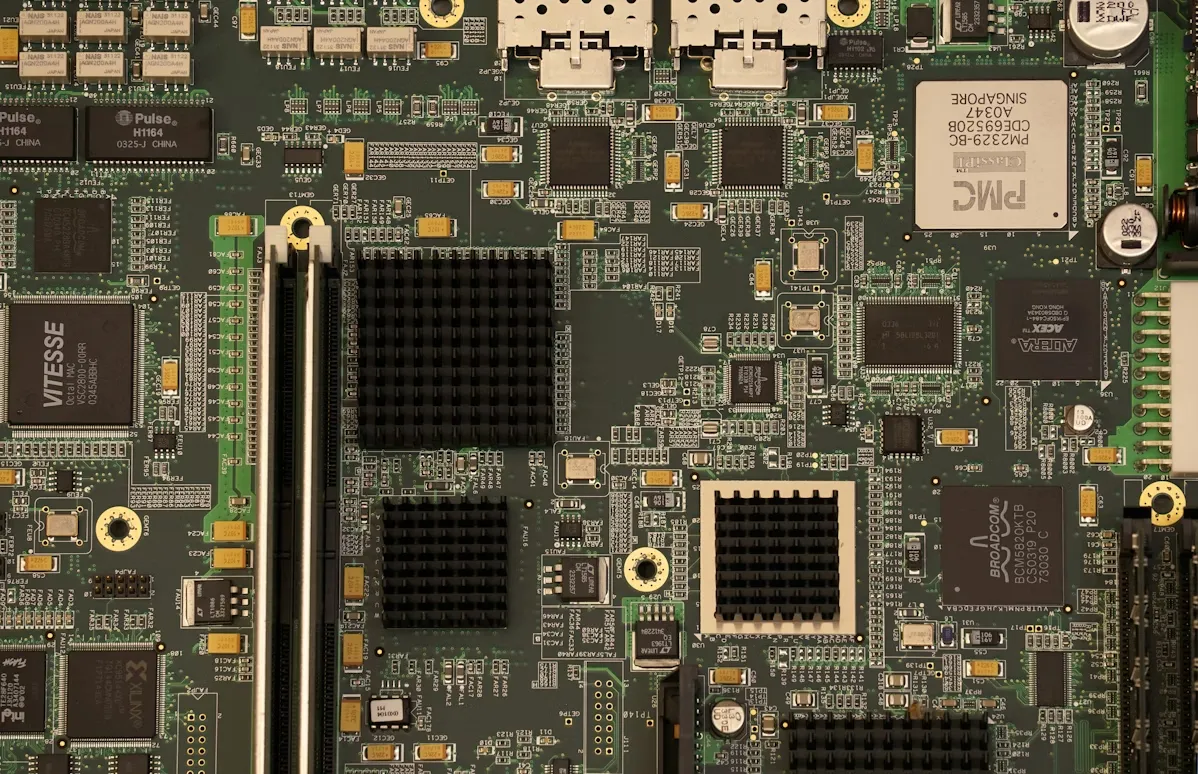
By taking control of the BIOS, we can redirect the processor to use only its cache memory and execute a custom payload before any other initialization occurs. The open-source coreboot project provides an excellent foundation for this approach.
Coreboot's initialization sequence includes an early stage called cache-as-RAM, where it configures the processor's cache to function as temporary memory before actual RAM is available. By intercepting execution at this stage, we can run arbitrary code using only CPU cache.
The implementation proved surprisingly straightforward. A few lines of C code were sufficient to implement a Brainfuck interpreter, demonstrating that actual computation was possible. An NES emulator followed, rendering Super Mario Bros in ASCII art through the serial port. The game's 40-kilobyte ROM exceeded older hardware's L1 cache capacity, but the proof of concept was complete.
Hardware Implementation
Testing in emulation is one thing. Real hardware presents additional constraints. Modern motherboards implement write protections on BIOS chips, and most systems have transitioned from BIOS to UEFI, adding complexity. The solution is to use older hardware.
A Dell Latitude D630 laptop from 2007 seemed ideal. Its BIOS chip had no write protection, and it featured a built-in serial port for output. However, coreboot lacked explicit support for this model. Attempting to flash a similar configuration and hoping for partial compatibility risked permanently bricking the motherboard.
An ASRock G31M-GS board from 2009 proved more suitable. It shipped with dual-channel DDR2 memory running at 800MHz, totaling 1 gigabyte. More importantly, it was compatible with coreboot and featured a removable BIOS chip, eliminating the need for specialized flashing hardware. A simple breadboard, microcontroller, and a few wires sufficed to reprogram the chip.
With the custom firmware installed, the board successfully booted with no RAM installed. The CPU fan spun up, coreboot debug messages appeared, and a simple Snake game ran entirely from the processor's cache. The serial port streamed character data to a laptop acting as a display terminal.
Performance was poor, limited by the serial bus's throughput rather than computational speed. Removing the BIOS chip while running immediately froze execution, revealing that this particular CPU didn't support ROM caching. Instructions were being read directly from flash memory rather than cached, explaining the terrible performance.
Practical Implications and Theoretical Limits
Could this approach support more complex applications? Potentially, yes. By initializing a hard drive and treating it as addressable memory, more sophisticated programs become feasible. The constraint is cache size. Modern processors offer more generous cache allocations, with high-end models featuring over 100MB of L3 cache. This provides sufficient space for meaningful computation.
However, practical computing without RAM remains impractical for general use. The techniques explored here serve as educational exercises and proof-of-concept demonstrations rather than viable alternatives to traditional architectures. Memory hierarchies exist for good reasons, carefully balancing speed, capacity, and cost.
Intel's now-discontinued Optane technology represented perhaps the closest commercial attempt at blurring the line between RAM and storage. Using 3D XPoint memory technology, Optane delivered persistence like an SSD but with latency approaching DRAM. Some implementations could connect directly to DIMM slots, creating a genuine hybrid memory tier. However, cost and market adoption challenges led to the technology's discontinuation.
Conclusion
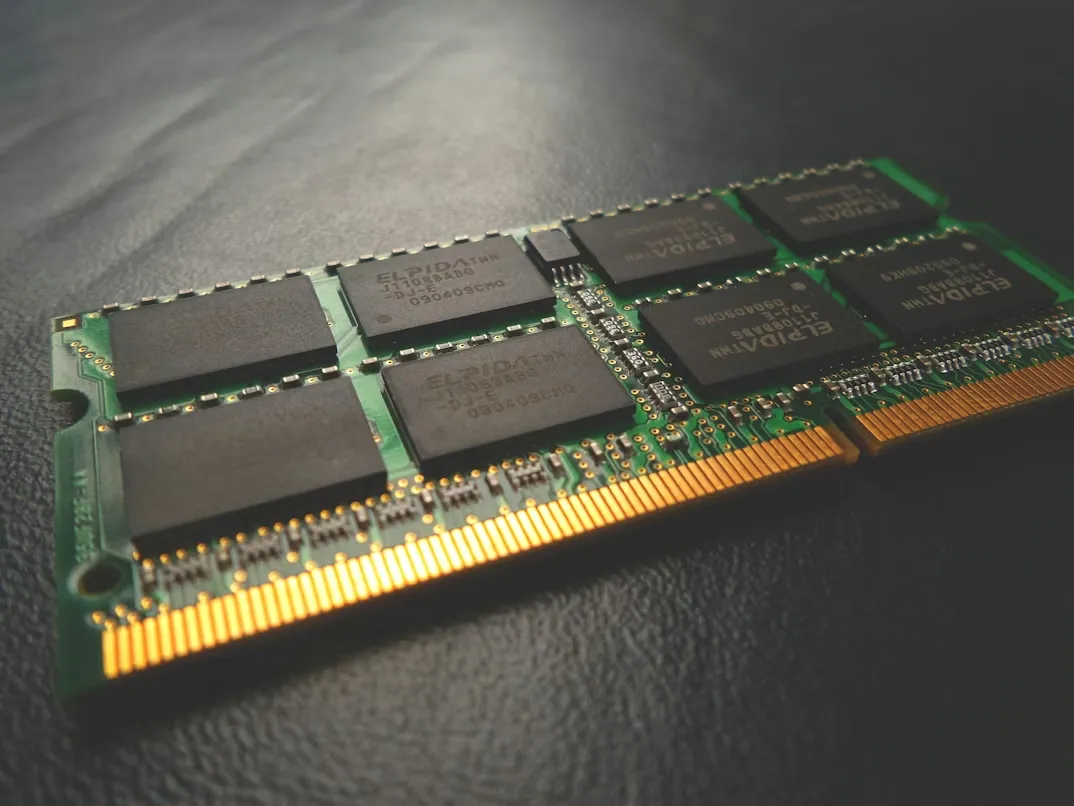
Can you run a computer without RAM? Technically, yes. Practically, not in any way you'd want to use regularly. The experiments demonstrate that computation is possible using only CPU cache, swap space, or even GPU memory. Each approach reveals fundamental truths about computer architecture and the careful compromises underlying modern systems.
RAM exists not because it's theoretically necessary but because it's practically essential. The performance gap between cache, RAM, SSD, and mechanical storage creates a memory hierarchy where each tier serves a specific purpose. Attempting to collapse this hierarchy by eliminating any single tier introduces bottlenecks that cripple overall performance.
The real lesson isn't that we can eliminate RAM, but that we should appreciate the elegant engineering that makes our computing devices possible. Every component, from the smallest cache line to the largest storage array, plays a carefully orchestrated role in delivering the performance we take for granted.
When RAM prices spike, it's tempting to look for alternatives. But perhaps the better response is to recognize memory as the remarkably sophisticated technology it is, and to value the careful balance of trade-offs that make modern computing possible at all.
This blog post is inspired by PortalRunner’s video "Running a Computer Without RAM".
Source: Published Notion page
This article
Post Reactions
Join the conversation
Write a Comment
Share your thought about this article.
Comments
Loading comments...